

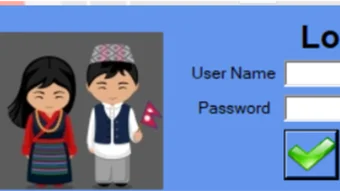

Description
Download NH Folder Hider and Locker – Free, Secure Folder Hiding & Locking Tool for Windows
Looking for a reliable way to protect your private files on Windows? NH Folder Hider and Locker is a lightweight, free software tool designed to help users hide and lock folders with just a few clicks. Developed by Hancie Wanem Phago and Nitesh Hamal, this utility is perfect for individuals who value privacy and want to secure sensitive data like financial records, personal photos, or confidential documents. Unlike basic file encryption tools, NH Folder Hider and Locker offers a simple yet effective solution by concealing folders from view and preventing unauthorized access. The software runs seamlessly on Windows systems and doesn’t require complex setup or technical knowledge. Whether you're a student, professional, or home user, this app ensures your digital privacy without slowing down your system. With its intuitive interface and robust security features, NH Folder Hider and Locker is an ideal choice for anyone seeking a no-frills, secure way to manage sensitive data.
Key Features of NH Folder Hider and Locker
One of the standout aspects of NH Folder Hider and Locker is its comprehensive set of features tailored for everyday privacy needs. First and foremost, the software allows users to hide folders completely from view in File Explorer, making them invisible to anyone browsing the system. This is especially useful when sharing a computer with family members or coworkers. Beyond hiding, the app offers folder locking functionality, which requires a password to unlock and access the hidden content. This dual-layer protection ensures that even if someone discovers the folder’s location, they won’t be able to open it without authorization.
Another notable feature is the one-click management system. With a simple interface, users can hide or unlock folders in seconds. There’s no need to navigate complex menus or remember cryptic commands. The software also supports multiple password protection, allowing you to assign different passwords to different folders for enhanced security. Additionally, NH Folder Hider and Locker includes automatic backup of folder locations, so you don’t risk losing track of your hidden files. The tool is also portable, meaning you can run it from a USB drive without installation, making it ideal for use on public or shared computers.
For users concerned about security, the software uses strong encryption algorithms to protect the folder metadata and access control. While it doesn’t encrypt the actual file contents (like some advanced tools), the invisibility and password protection are sufficient for most personal use cases. The program also does not require admin rights to function, which makes it accessible to users with limited system privileges. Overall, NH Folder Hider and Locker strikes a perfect balance between simplicity and security, making it a go-to choice for those who want a hassle-free privacy solution on Windows.
How to Install and Use NH Folder Hider and Locker
Installing and using NH Folder Hider and Locker is a straightforward process, even for beginners. First, visit the official download page and download the free installer or the portable version. The installer is lightweight, typically under 5MB, and completes the setup in under a minute. Once installed, launch the application from the Start menu or desktop shortcut. The main interface is clean and minimal, featuring a simple list of folders, a “Hide” button, and an “Unhide” option.
To hide a folder, click the “Add” button and browse to the folder you want to protect. Select it and confirm. The software will immediately make the folder invisible in File Explorer. To unlock it later, simply select the folder from the list and click “Unlock.” You’ll be prompted to enter the password you set during the hiding process. If you forget the password, the software does not offer a recovery option—so it’s crucial to keep it secure.
For advanced users, the tool allows you to change passwords or remove folder entries at any time. You can also use the “Auto-Start” feature to launch the app every time Windows boots, ensuring your privacy settings remain active. The software runs in the background with minimal impact on system performance, consuming less than 10MB of RAM. It’s also compatible with all major Windows versions, including Windows 10, Windows 11, and older systems like Windows 7 and 8.1. With no intrusive ads or bundled software, the experience remains clean and focused on privacy.
Compatibility and System Requirements
NH Folder Hider and Locker is designed specifically for the Windows operating system, ensuring full compatibility with a wide range of devices. It supports Windows 7, 8, 8.1, 10, and 11, both 32-bit and 64-bit versions. Whether you're using a desktop, laptop, or tablet with Windows, this tool works seamlessly across all configurations. The software is lightweight and doesn’t require high-end hardware, making it suitable for older systems as well.
One of the key advantages of NH Folder Hider and Locker is its portability. The portable version can be run directly from a USB flash drive, external hard drive, or even a cloud-stored folder without installation. This makes it ideal for users who frequently switch between computers or need to protect files on public machines. Since it doesn’t leave traces in the registry or system folders, your privacy remains intact even after removing the device.
For users concerned about security, the software doesn’t require admin rights to operate, which is a major plus in restricted environments like school labs or office networks. It also doesn’t interfere with Windows’ built-in file system, so there’s no risk of data corruption or system instability. The app is completely free to download and use, with no trial periods or hidden charges. It’s a reliable, no-nonsense tool that delivers on its promise of privacy without complexity.
Pros and Cons of NH Folder Hider and Locker
- Pros:
- Free and open to download with no hidden costs
- Simple, intuitive interface suitable for beginners
- Fast and lightweight with minimal system impact
- Supports password protection and folder hiding
- Portable version available for USB use
- Does not require admin rights or installation
- Secure and reliable for personal file protection
- Cons:
- No file encryption—only hides and locks folders
- Password recovery is not possible if forgotten
- Not suitable for enterprise-level data protection
- Limited to Windows OS (no Mac or mobile support)
- Basic feature set compared to advanced encryption tools
Frequently Asked Questions (FAQ)
-
Is NH Folder Hider and Locker safe to use?
Yes, NH Folder Hider and Locker is safe to use. It’s a lightweight, standalone application developed by trusted creators. It doesn’t contain malware, ads, or bundled software. However, always download it from the official source to avoid third-party modifications.
-
Can I use this tool on my USB drive?
Absolutely. The portable version allows you to run NH Folder Hider and Locker directly from a USB drive without installation. This is perfect for protecting files on public or shared computers.
-
What happens if I forget my password?
Unfortunately, there is no password recovery feature. If you forget your password, you won’t be able to access the hidden folder. It’s recommended to keep your password in a secure place.
-
Does it work on Windows 11?
Yes, NH Folder Hider and Locker is fully compatible with Windows 11, as well as Windows 10, 8.1, 8, and 7.
-
Can I hide multiple folders at once?
Yes, you can add and manage multiple folders in the app’s list. Each folder can have its own password for individual protection.
Final Thoughts and Call to Action
NH Folder Hider and Locker is a must-have tool for anyone who wants to keep their files private on a Windows PC. While it doesn’t offer advanced encryption, its core features—folder hiding, password protection, and portability—make it a powerful yet simple solution for personal data security. It’s ideal for students, professionals, and home users who need a quick, reliable way to protect sensitive information without the complexity of enterprise-grade software.
With a free download, no installation required for the portable version, and excellent compatibility, this tool stands out in the crowded field of privacy apps. If you’re looking for a secure, easy-to-use way to lock your folders, download NH Folder Hider and Locker today and take control of your digital privacy.
Guides & Tutorials for NH Folder Hider and Locker
How to install NH Folder Hider and Locker
- Click the Preview / Download button above.
- Once redirected, accept the terms and click Install.
- Wait for the NH Folder Hider and Locker download to finish on your device.
How to use NH Folder Hider and Locker
This software is primarily used for its core features described above. Open the app after installation to explore its capabilities.
User Reviews for NH Folder Hider and Locker 0
No reviews found





